

Whether for daily movie viewing, office presentations, or listening to music throughout your entire home, everyone wants to project audiovisual content from their smartphones or computers onto a TV or large sound system; Google Cast is the standardized wireless screen mirroring protocol introduced by Google. Since its launch in 2013, it has become the universal cross-screen solution for audiovisual devices worldwide.
1、Basic Concepts: Distinguishing between Google Cast and Chromecast
Many users confuse these two terms; there is a clear distinction between technical standards and hardware products:
1、Google Cast:
The underlying screen mirroring technical protocol—previously referred to as "Built-in Chromecast" —was officially renamed in 2024. The wireless screen mirroring functionality built into most smart TVs, projectors, and Bluetooth speakers on the market all utilize this technology at their core. This protocol is natively supported across all TV series from Sony, TCL, Hisense, and Philips, as well as mainstream speaker brands such as LG and JBL; additionally, Samsung's TV models released between 2023 and 2025 will introduce this screen mirroring capability via a system update in 2026.
2、Chromecast:
Google's self-developed USB-based HDMI hardware peripheral is specifically designed to work with older non-smart TVs. By plugging this device into the TV's HDMI port, even standard older TVs can access full Google Cast screen mirroring capabilities. While many users commonly refer to "Chromecast" as shorthand for screen mirroring functionality, the two are not interchangeable.
2、Core operating principle:
Traditional wireless screen mirroring relies on the smartphone to push a real-time video stream; this approach not only consumes a significant amount of battery power but also makes the mirroring process highly prone to interruption when the screen is locked, when a call arrives, or when an app is switched from the background.
Google Cast employs a completely different lightweight transmission mechanism, featuring a simple and efficient operating process:
1. Ensure your mobile phone and large-screen device are connected to the same wireless network; open a media application that supports screen mirroring, and tap the square screen mirroring icon on the interface;
2. The mobile device only sends playback commands and video links, but does not transmit real-time video data streams;
3. Large-screen devices such as televisions and audio systems are independently connected to the network and autonomously handle video loading, decoding, and playback;
4. Once screen mirroring is enabled, the smartphone can lock the screen, reply to messages, or answer calls without affecting the playback on the larger display at all, while also significantly reducing the phone's power consumption.
3、The Four Major Advantages of Google Cast
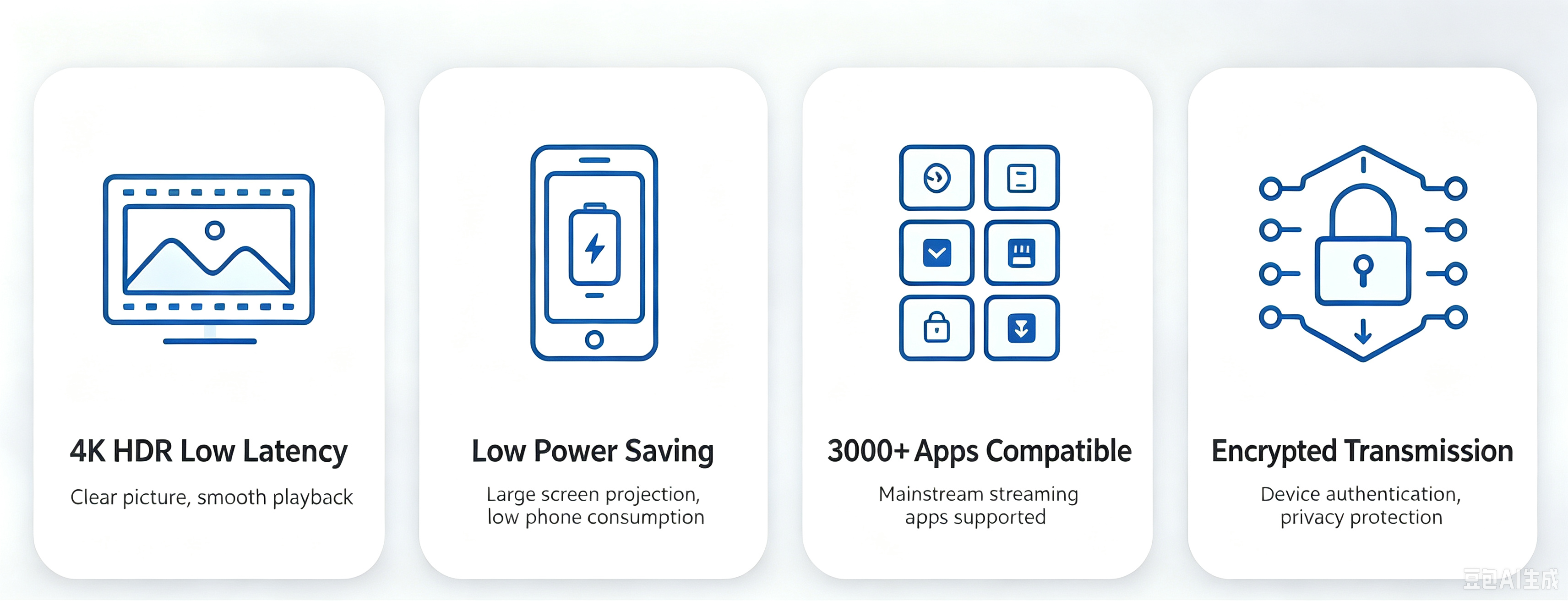
1. High-definition, smooth playback with low latency: Native support for 4K HDR, with a sound-to-image synchronization error of less than 25 milliseconds, ensuring stable playback without stuttering or disconnection during extended sessions;
2. Low power consumption on mobile devices: It does not perform video decoding, resulting in minimal battery drain;
3. Abundant software resources: Over 3,000 audio-visual applications are compatible, supporting major platforms such as YouTube, Netflix, and Spotify;
4. Enhanced transmission security: By utilizing encrypted transmission and device certificate verification, it can block fake screen-sharing devices, ensuring that content is not stolen even when using public WiFi.
4、Google Cast Certification
For hardware devices to natively support Google Cast screen mirroring capabilities, they must undergo Google's full official certification process. Third-party software and hardware that have not obtained official certification will be restricted from using screen mirroring functionality, often encounter compatibility issues, and will be unable to integrate with the Google Smart Home ecosystem to enable multi-device coordination.
Zhongle Certification is supported by a professional certification team with extensive industry experience and rich practical expertise; if you would like to learn more about Google Cast certification, feel free to contact us!
Tel: 13417442373(Wechat)
E-mail: finny.zhou@zhongletest.com
Teams:nancy.le@zhongletest.com